
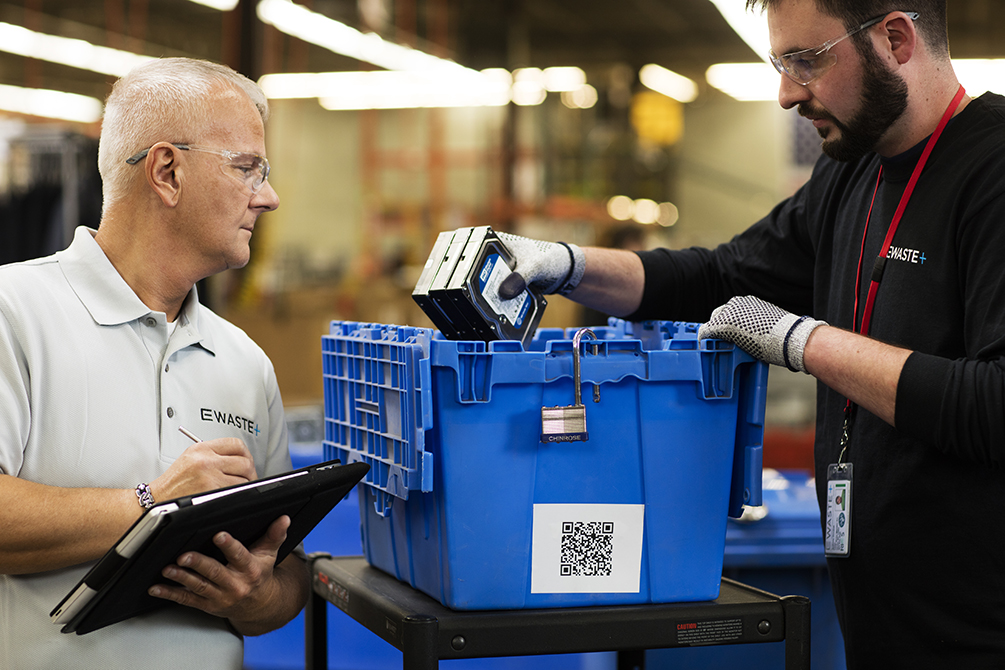
Ask most IT managers where their organisation’s retired hard drives are, and the honest answer is often a locked cupboard, a corner of a server room, or a crate that has been moved twice during office relocations. Drives accumulate quietly because throwing them out feels risky and dealing with them properly feels like a project. The result is a growing pile of unmanaged data sitting outside any security control. Understanding how a structured hard drive disposal service works makes clearing that backlog far less daunting than it appears.
Why Drives Get Stockpiled
The instinct to hold on is not irrational. Nobody wants to be the person who binned a drive that later turns up in the wrong hands, and without a defined process the safest individual choice is to do nothing. Over time this produces a storeroom of mixed media with no inventory, no record of what each drive contained, and no way to tell which ones were already wiped. The stockpile itself becomes the liability an uncatalogued collection of business data with informal access control, usually stored somewhere with a key that several people hold.
Building the Inventory First
Any credible project starts by counting what exists. Every drive needs a record: manufacturer, model, capacity, serial number, the system it came from where known, and an assessment of what data it is likely to hold. This is tedious but it is the foundation for everything afterwards, because a disposal certificate is only useful if it maps to an inventory line. Drives that cannot be identified should be recorded as unknown and treated at the highest sensitivity level by default. Once the list exists, the project becomes finite and quotable rather than open-ended.
Choosing Between Erasure and Destruction
Not every drive needs the same treatment, and applying one rule to all of them either wastes money or accepts unnecessary risk. Healthy drives from routine systems can be erased to a verified standard and sold on through an IT asset buyback programme, recovering some cost. Drives from systems handling personal, financial or regulated data are usually routed to destruction regardless of condition. Drives that are physically failed, locked, or unreadable must be destroyed because their state cannot be certified any other way. Working with a provider that offers both paths under one process means each unit is matched to the right method and every outcome appears in a single report.
Custody From Cupboard to Facility
The transfer stage carries the highest exposure, so it deserves the most attention. Drives should be counted into sealed, numbered containers with a manifest signed by both your representative and the collection team. The container seal number goes on the paperwork, and the seal is checked on arrival before opening. Vehicles should be tracked, and collection staff should be screened and identifiable. If a provider proposes an informal handover in a car park with a handwritten note, the custody chain has effectively already been broken.
What Destruction Involves
Physical destruction is a family of techniques rather than a single one. Shredding reduces the drive to particles, with the specified particle size determining assurance level finer output for higher sensitivity. Degaussing wipes magnetic media using a powerful field, but has no effect at all on solid-state drives, which is a critical distinction when a batch contains both. Crushing and punching deform platters to prevent spin-up and are often applied as a first stage. The provider should explain which technique applies to which media type and record the choice per serial number.
The Paperwork That Matters
At the end of the project you should hold three things, the original inventory, a certificate of data destruction or erasure listing every serial number with its method and date, and a certificate of recycling covering the residual material. Together these let you answer any future question about a specific drive without re-opening an investigation. Store them with your asset records rather than in a project folder that gets archived and forgotten, and keep them for at least as long as your data retention policy requires for the underlying information.
Compliance and the Cost of Getting It Wrong
Data protection regimes hold the original controller responsible for personal data throughout its lifecycle, including after a device is retired. Delegating disposal to a contractor does not transfer that responsibility it creates a processor relationship that must itself be documented and governed. Regulators examining an incident will ask for your due diligence on the provider, your written instructions to them, and your evidence of outcomes. Environmental regulations add a second layer, since drives contain materials that cannot lawfully go to general waste. Both sets of obligations are far easier to meet in advance than to reconstruct afterwards.
Turning It Into Routine
Once the backlog is cleared, the goal is to never build another one. That means a standing rule that drives are removed from decommissioned systems within a set number of days, held in a secure area with restricted access and a logged register, and collected on a regular schedule rather than when space runs out. Agreeing recurring collection dates with an established ITAD company turns disposal from an occasional scramble into a background process that runs without management attention.
Where to Start
If you are looking at an unmanaged pile right now, begin with the inventory and a single question for each drive, does the data on it require destruction, or does its condition permit erasure and resale? That one decision drives everything else cost, timeline, and the value you get back. Everything after it is logistics and documentation, both of which a competent provider handles as standard.
